> ## Documentation Index
> Fetch the complete documentation index at: https://docs.mkinf.io/llms.txt
> Use this file to discover all available pages before exploring further.
# Import Agents
> This guide will walk you through importing specific AI Agents from the hub.
## Overview
You can access mkinf hub Agents throught the [mkinf python SDK](https://pypi.org/project/mkinf/) or via REST API calls.
### 1. Find an AI Agent
Browse available AI Agents at [mkinf hub](https://hub.mkinf.io/) and select an agent that matches your use case
{" "}
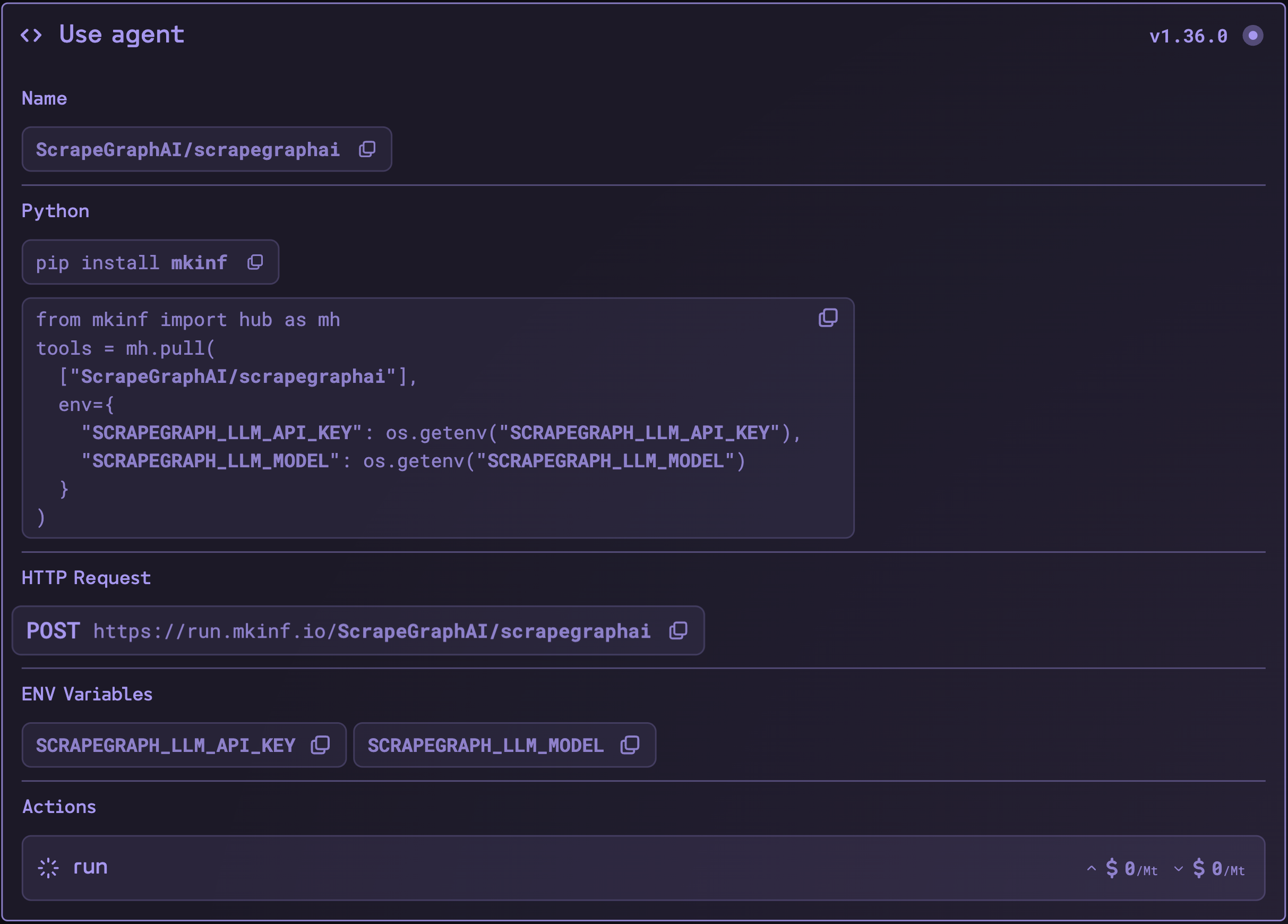
 ### 2. Copy the pull command
Check the "Use Agent" section of your chosen repository for import instructions
{" "}
### 2. Copy the pull command
Check the "Use Agent" section of your chosen repository for import instructions
{" "}
 ## Python
### Import the AI Agent
To import the agents in our platform, follow this structure:
```python theme={null}
from mkinf import hub as mh
tools = mh.pull(["owner/repository"])
```
Some tools require environment variables, including API keys, which must be created and set before use.
```python theme={null}
from mkinf import hub as mh
tools = mh.pull(
["ScrapeGraphAI/scrapegraphai"],
env={
"SCRAPEGRAPH_LLM_MODEL": "openai/gpt-4o-mini",
"SCRAPEGRAPH_LLM_API_KEY": os.getenv("OPENAI_API_KEY")
},
timeout=120
)
```
You can even set an execution timeout, the default execution timeout is **60 seconds**.
Remember to configure any required environment variables specified in the agent's documentation.
Currently, mkinf tools are compatible with LangChain chains and graphs. Support for other frameworks like CrewAI, AutoGen, and SmolAgents is coming soon.
## REST API
### Request execution
Agents actions can also be executed directly via API call.
```bash theme={null}
curl -X POST "https://run.mkinf.io/v0.1//:/" \
-H "Authorization: Bearer $MKINF_API_KEY" \
-H "Content-Type: application/json" \
-d '{
"args": { "your_arg_key": "your_arg_value" },
"env": { "your_env_key": "your_env_value" },
"timeout": 60
}'
```
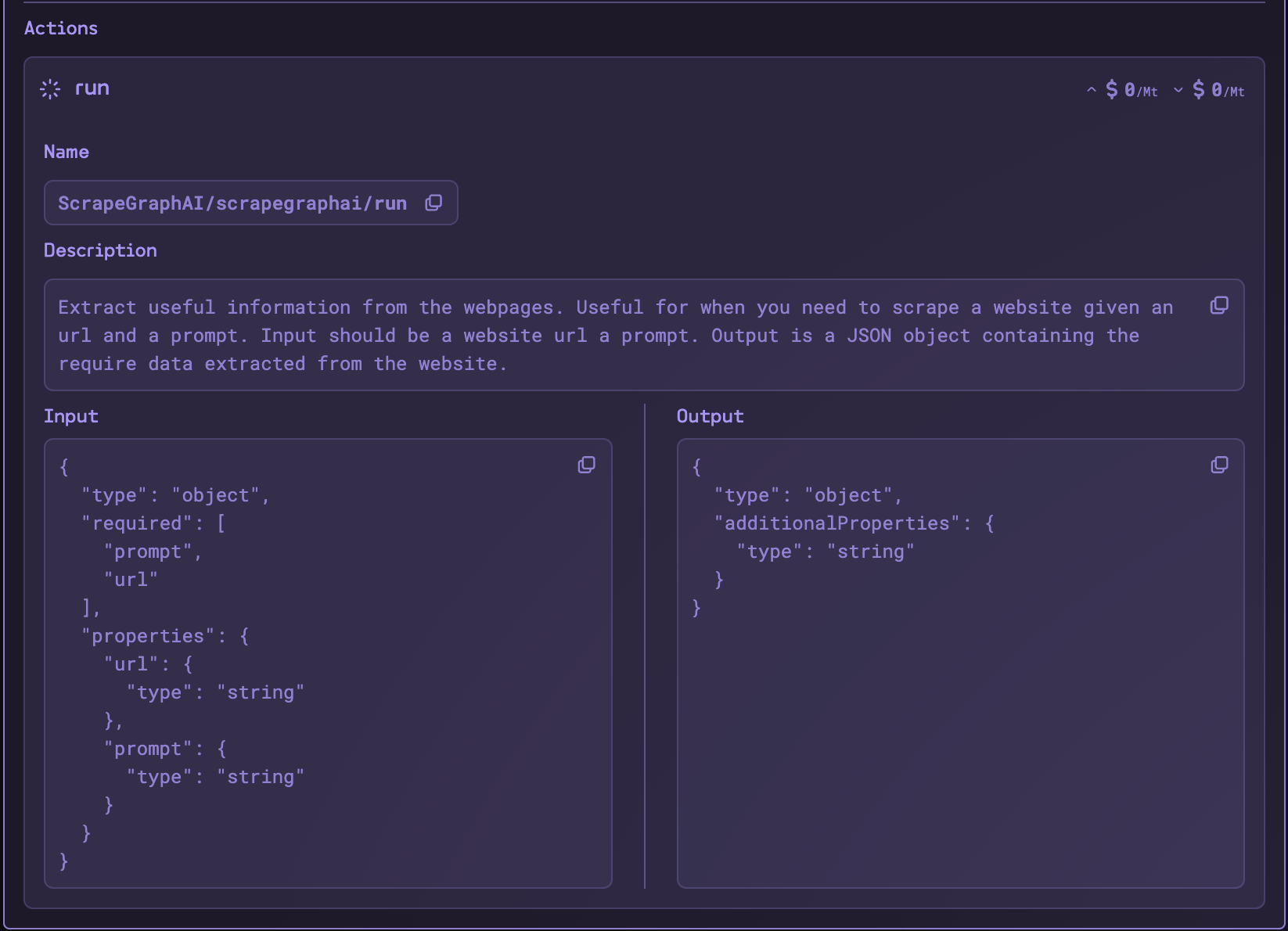
Note that you have also to include the input arguments, you can them in the **input schema** of each action.
{" "}
## Python
### Import the AI Agent
To import the agents in our platform, follow this structure:
```python theme={null}
from mkinf import hub as mh
tools = mh.pull(["owner/repository"])
```
Some tools require environment variables, including API keys, which must be created and set before use.
```python theme={null}
from mkinf import hub as mh
tools = mh.pull(
["ScrapeGraphAI/scrapegraphai"],
env={
"SCRAPEGRAPH_LLM_MODEL": "openai/gpt-4o-mini",
"SCRAPEGRAPH_LLM_API_KEY": os.getenv("OPENAI_API_KEY")
},
timeout=120
)
```
You can even set an execution timeout, the default execution timeout is **60 seconds**.
Remember to configure any required environment variables specified in the agent's documentation.
Currently, mkinf tools are compatible with LangChain chains and graphs. Support for other frameworks like CrewAI, AutoGen, and SmolAgents is coming soon.
## REST API
### Request execution
Agents actions can also be executed directly via API call.
```bash theme={null}
curl -X POST "https://run.mkinf.io/v0.1//:/" \
-H "Authorization: Bearer $MKINF_API_KEY" \
-H "Content-Type: application/json" \
-d '{
"args": { "your_arg_key": "your_arg_value" },
"env": { "your_env_key": "your_env_value" },
"timeout": 60
}'
```
Note that you have also to include the input arguments, you can them in the **input schema** of each action.
{" "}
 ## Next Steps
* Check out our [SDK repository](https://github.com/mkinf-io/mkinf-py/tree/main/example) for implementation samples
* Join our [Slack community](https://join.slack.com/t/mkinf-community/shared_invite/zt-2wa3mqqsx-27qHzCok~BCdZTowifer~g) for support
## Next Steps
* Check out our [SDK repository](https://github.com/mkinf-io/mkinf-py/tree/main/example) for implementation samples
* Join our [Slack community](https://join.slack.com/t/mkinf-community/shared_invite/zt-2wa3mqqsx-27qHzCok~BCdZTowifer~g) for support